

AppRocket V4 – CPA Marketing Landing Page








About AppRocket V4
CPA Marketing Landing Page
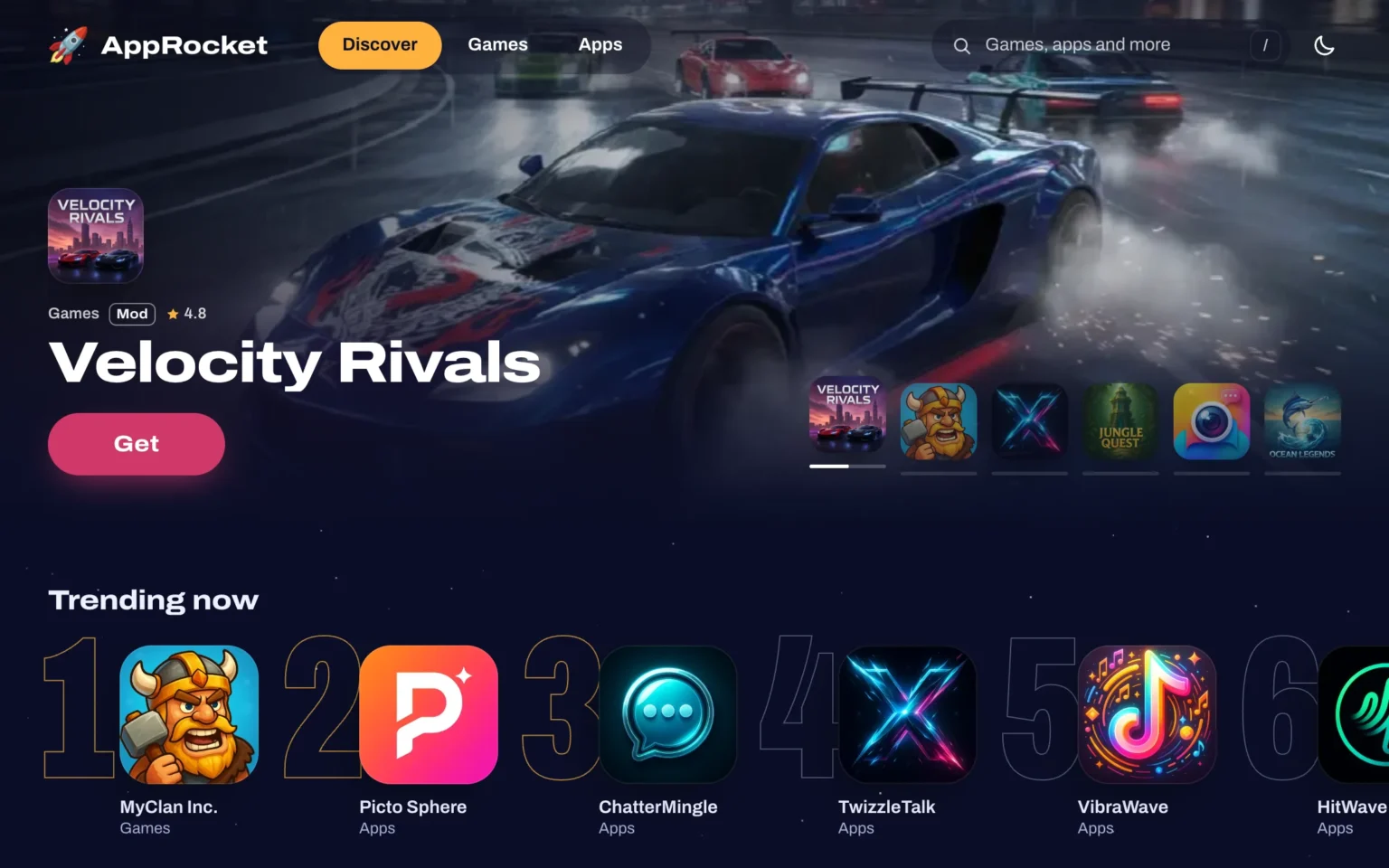
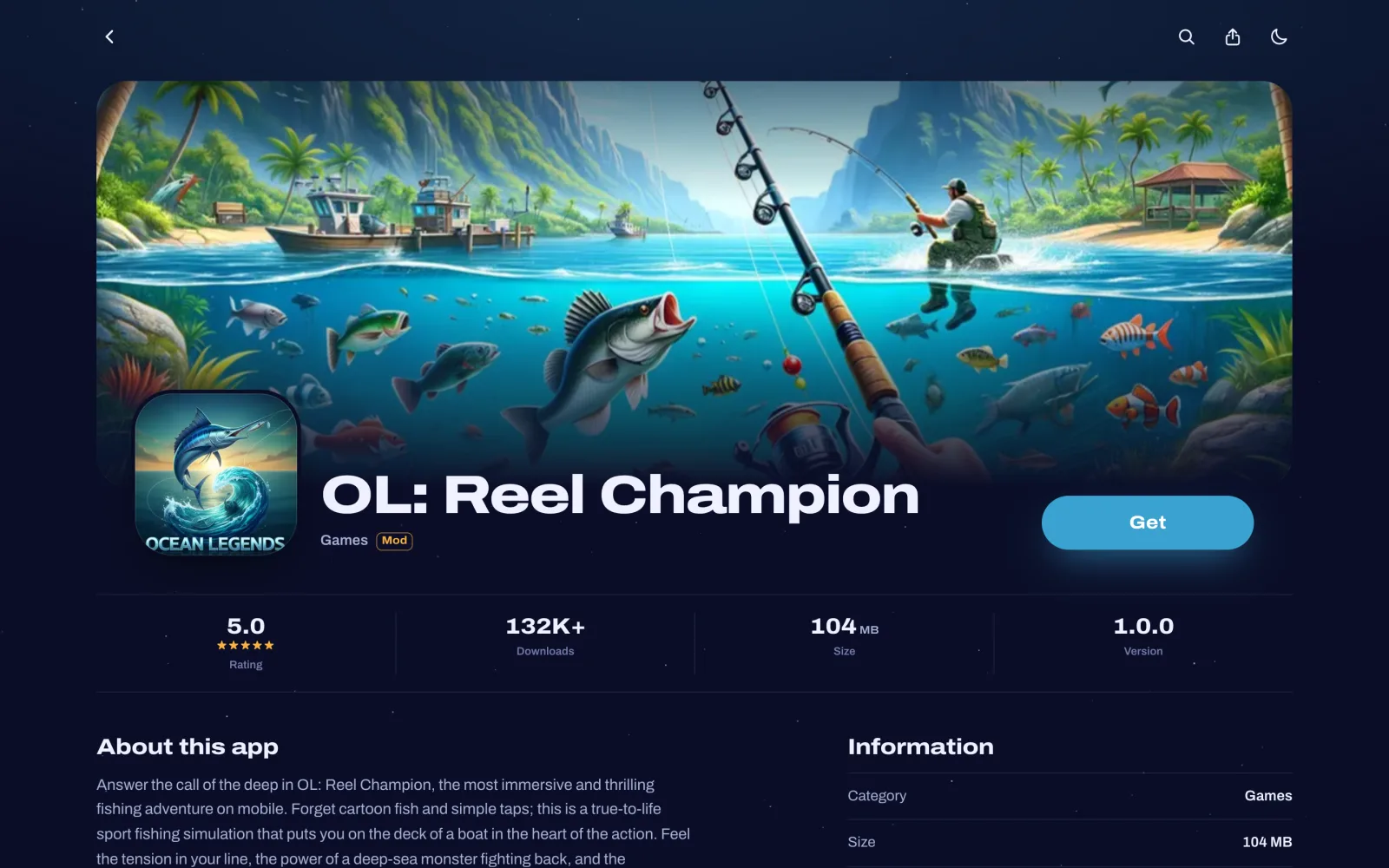
AppRocket V4 is an app store style CPA marketing landing page for promoting apps, games and mods. Your visitors browse a site that looks and moves like a real app store, open an app, tap Get and watch it install before they reach your offer.
Version 4 is a complete front-end rebuild on the proven V3 foundation. It brings a native app feel with smooth animations, a new built-in unlock page with OGAds offers and more control from the admin panel. As before, everything is managed from the dashboard, with no code or file editing needed.
Animated Install Sequence That Keeps Visitors Engaged
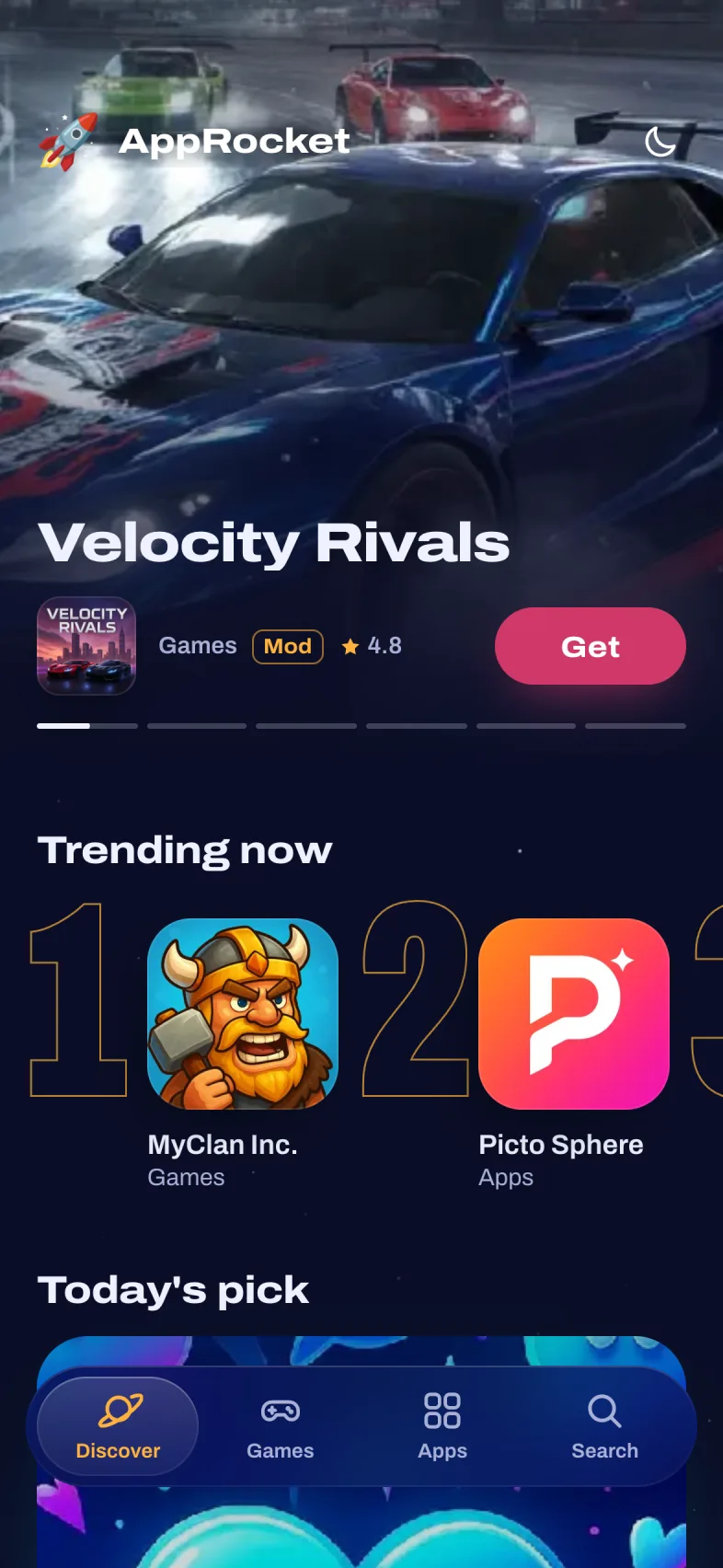
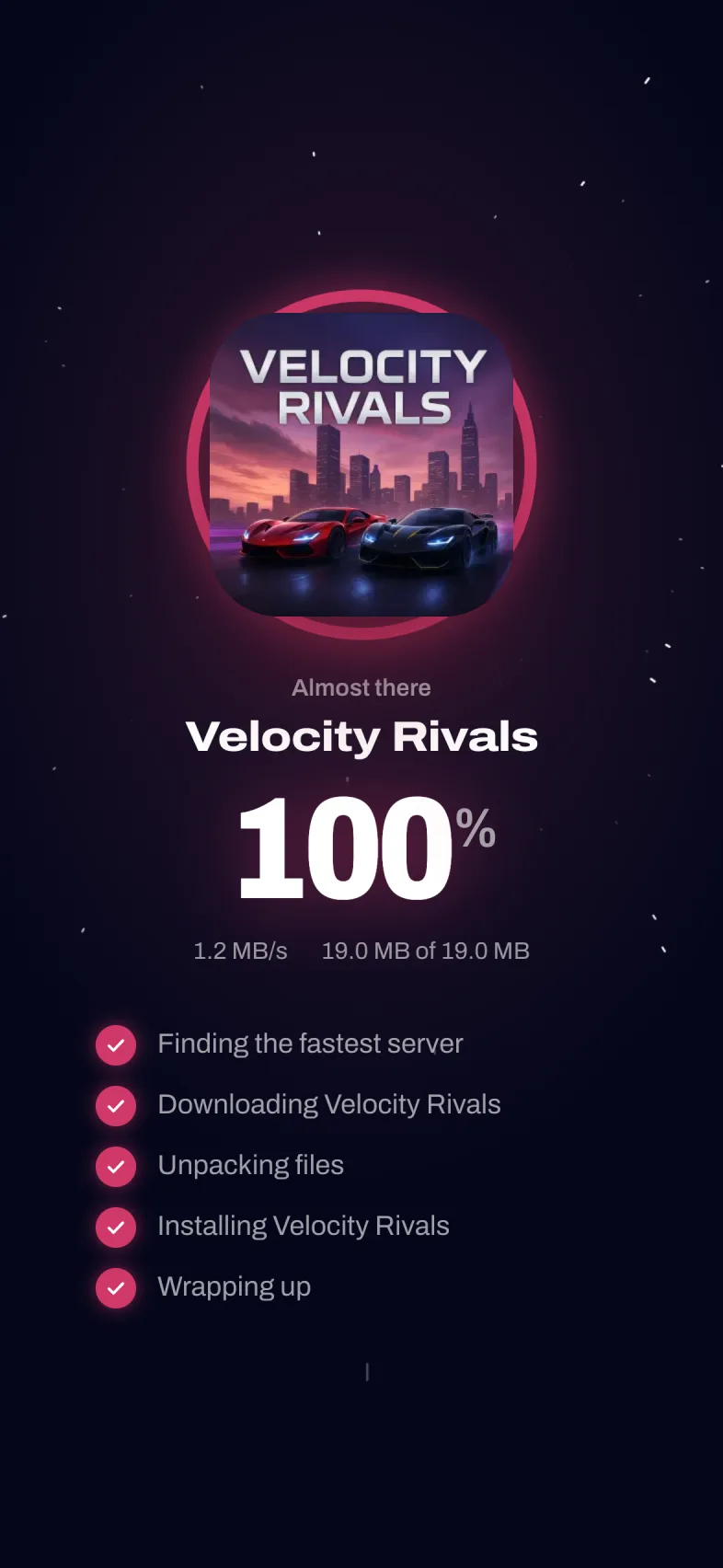
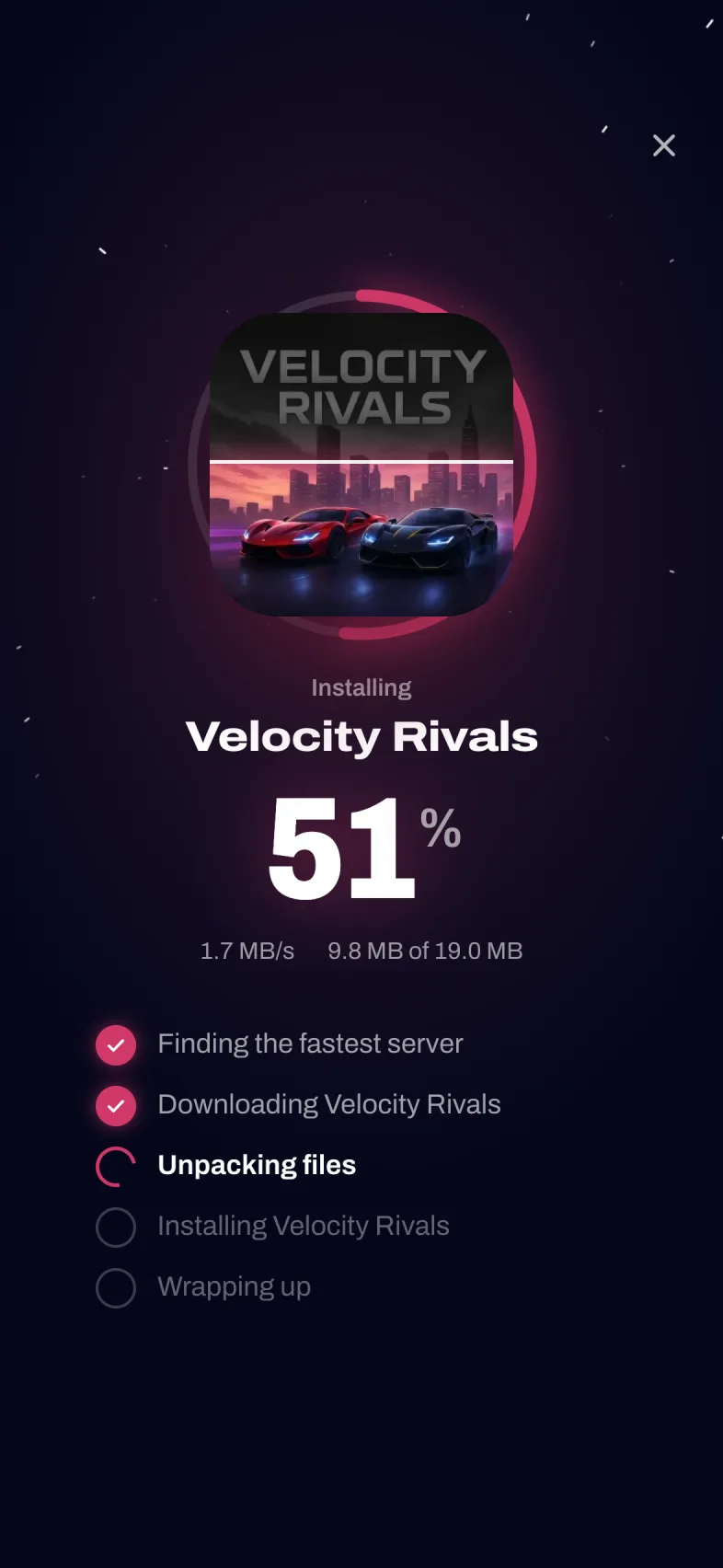
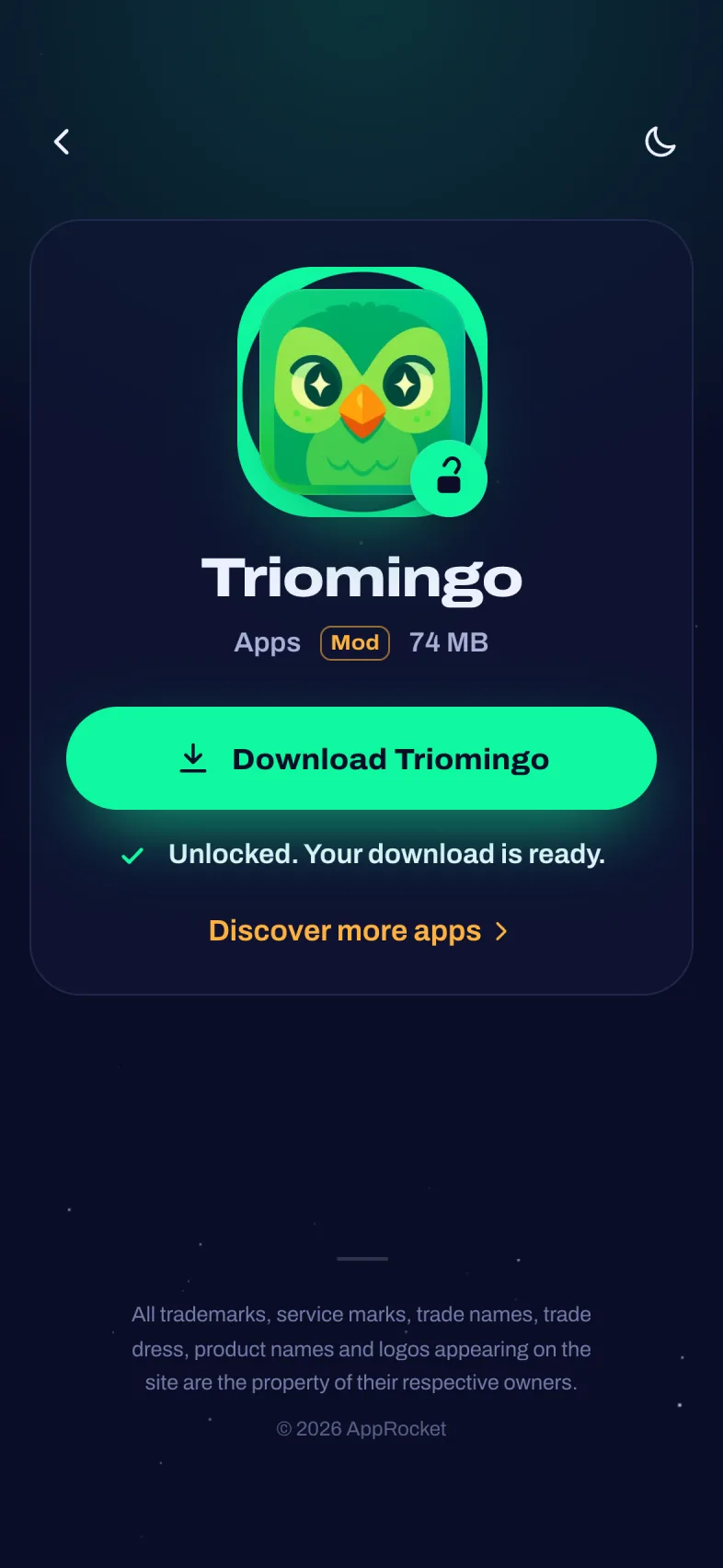
The moment a visitor taps Get is the most important step of your funnel, so V4 turns it into a show. The app icon flies to the center of the screen and fills with color as the install progresses, surrounded by a progress ring, a large percentage counter and a live speed and size readout.
Five install steps you write yourself tick off one by one, with the app name inserted automatically. You set the duration for each app, and optional sound effects and phone vibration make the moment feel real. At 100% the icon lifts off and the visitor continues to your Android or iOS redirect URL, or to the new unlock page.
Every install click and completion is also sent to Google Analytics 4 as an event, so you can see exactly how many visitors make it through.
NEW: Built-in Unlock Page with OGAds Offer API
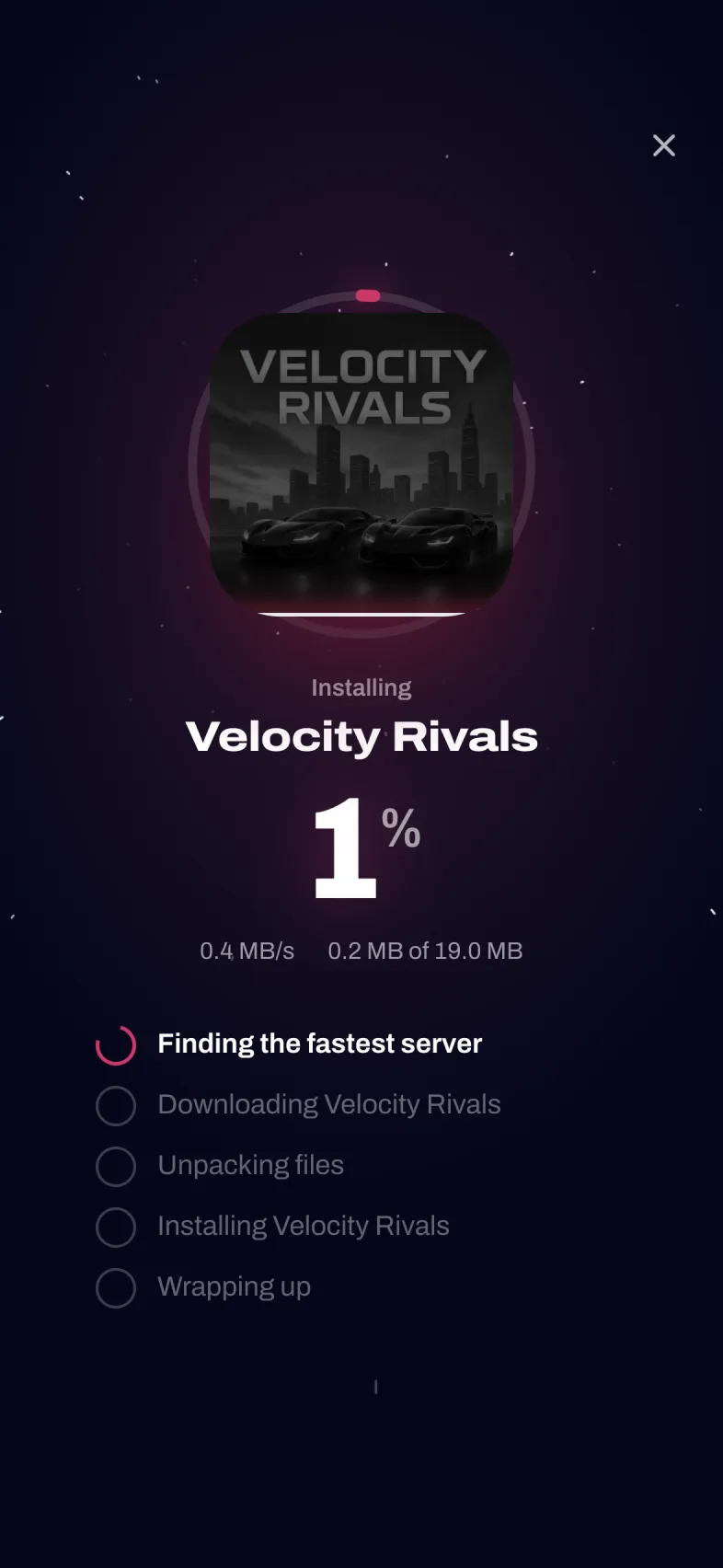
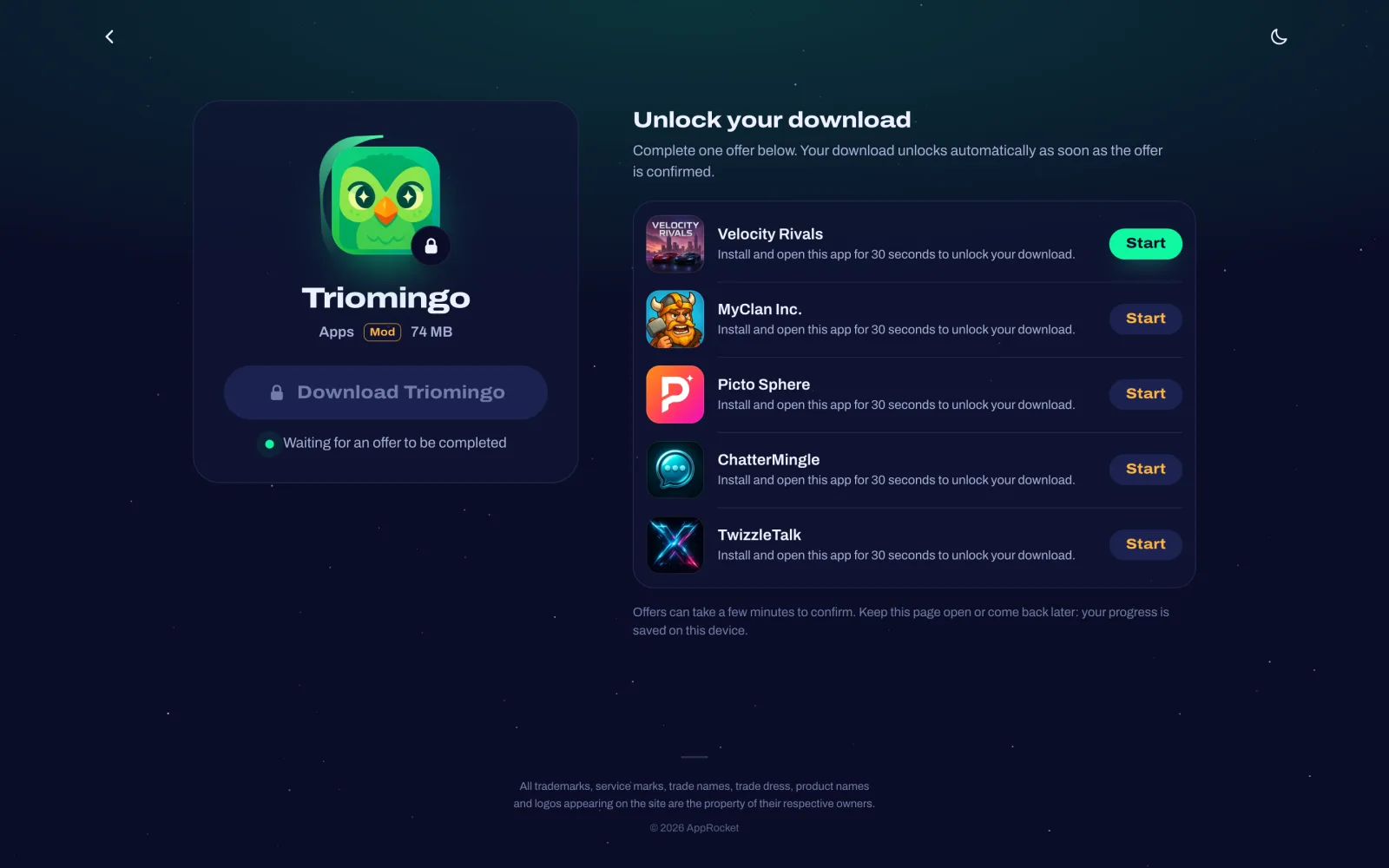
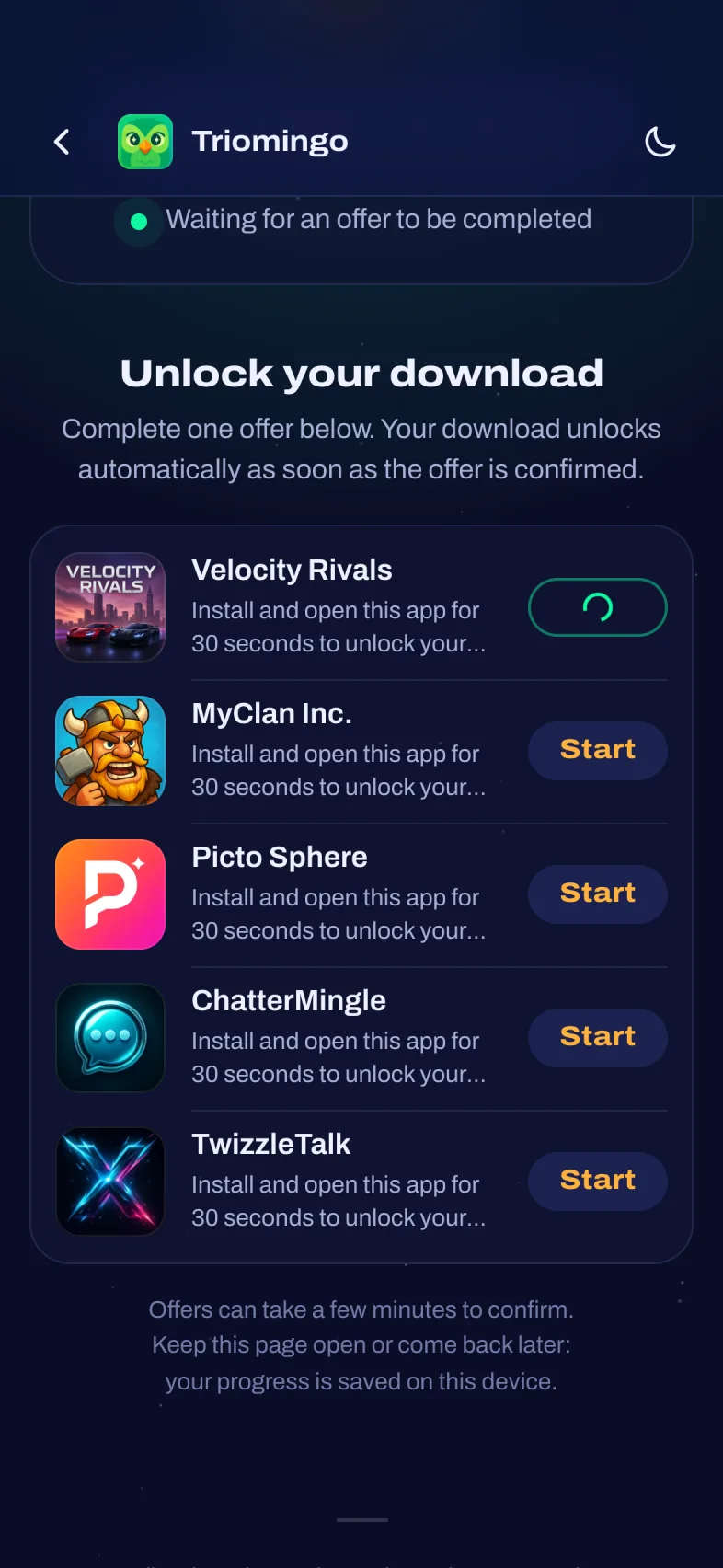
Instead of sending visitors to an external content locker, V4 can show offers right on your own site. After the install sequence the visitor lands on an unlock page styled exactly like the rest of the landing page: the download button is locked, and below it are live offers from the OGAds Offer API, in the order OGAds ranks them for that visitor.
When the visitor completes an offer, OGAds confirms it through your postback URL and the page unlocks the download link automatically, without a refresh. The link never appears in the page source before that, and visitors who leave to finish an offer can come back later, because their progress is saved on their device.
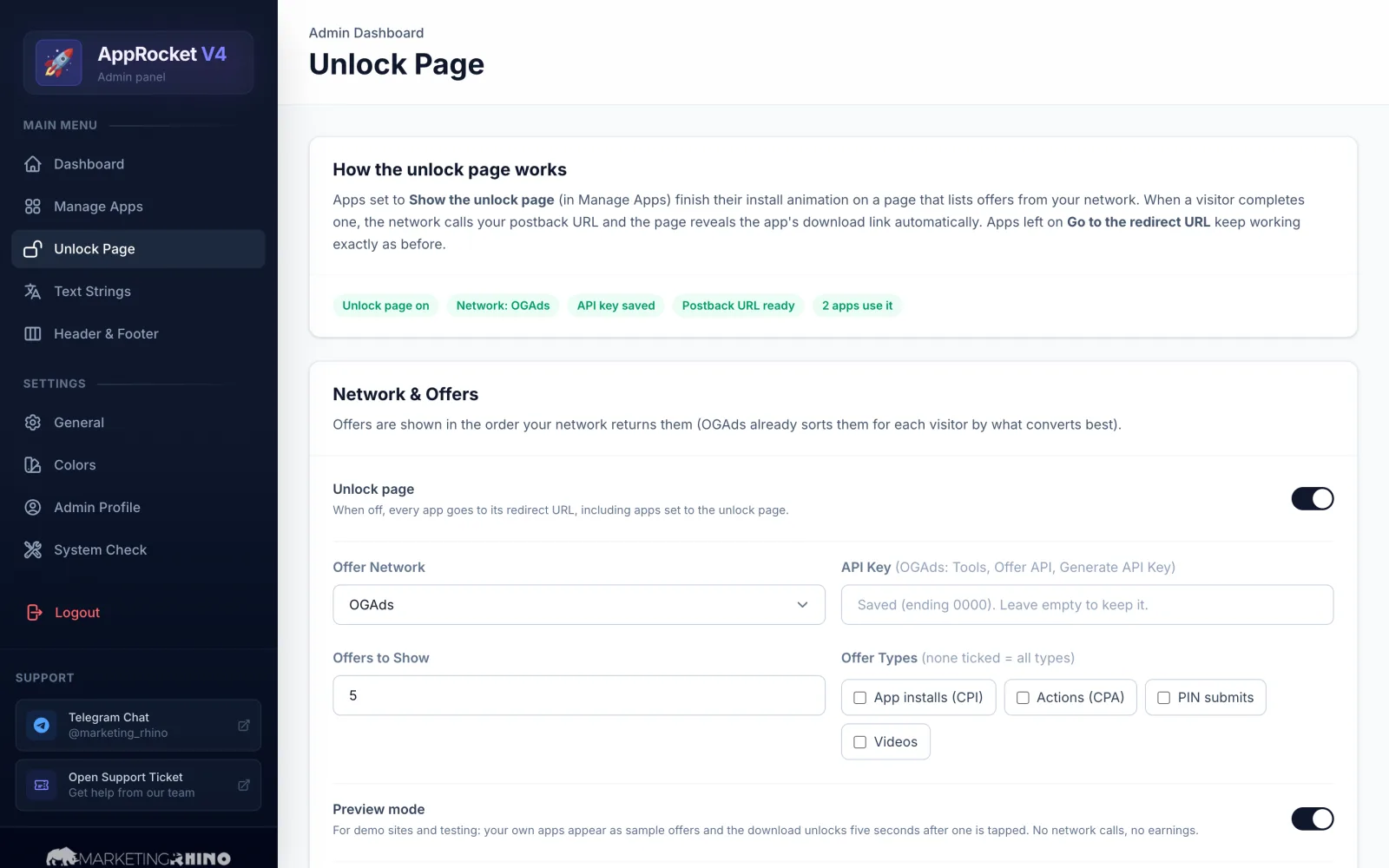
You decide per app whether it uses the unlock page or a direct redirect. The admin panel covers the rest: API key, number of offers, offer types, all page texts, a connection test, a ready-to-copy postback URL and an unlock log with your earnings. Preview mode lets you try the whole flow before you send real traffic.
App-Like Design with Colors That Adapt to Every App
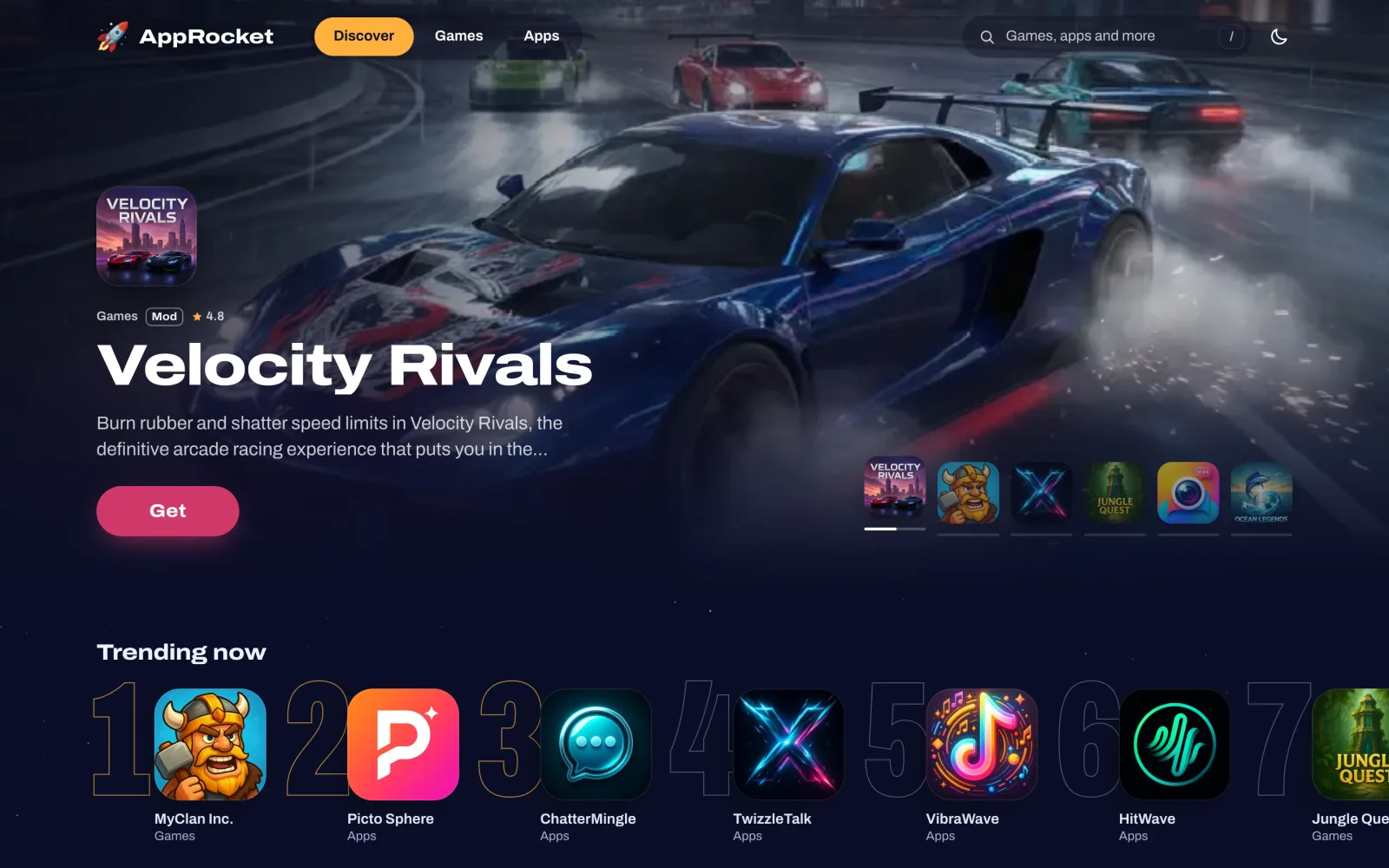
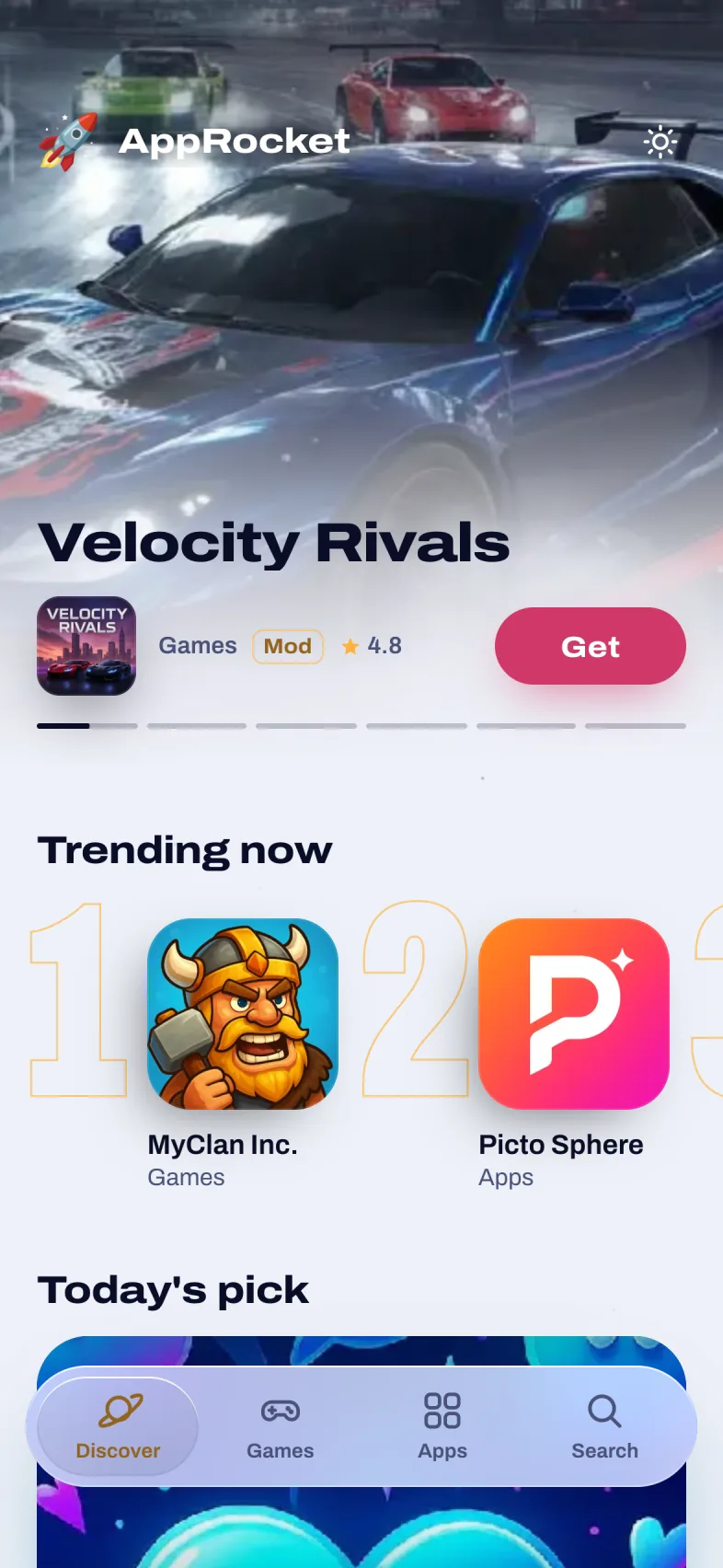
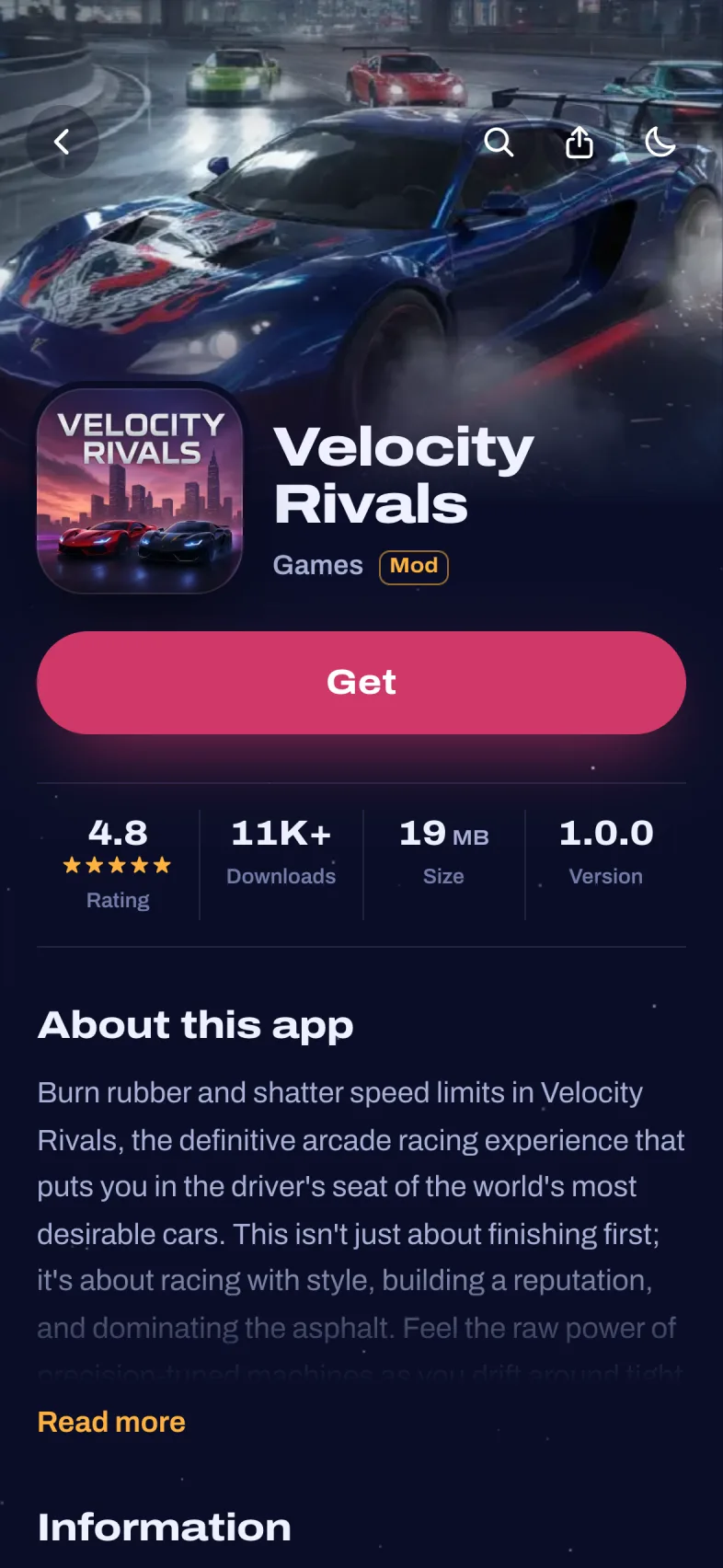
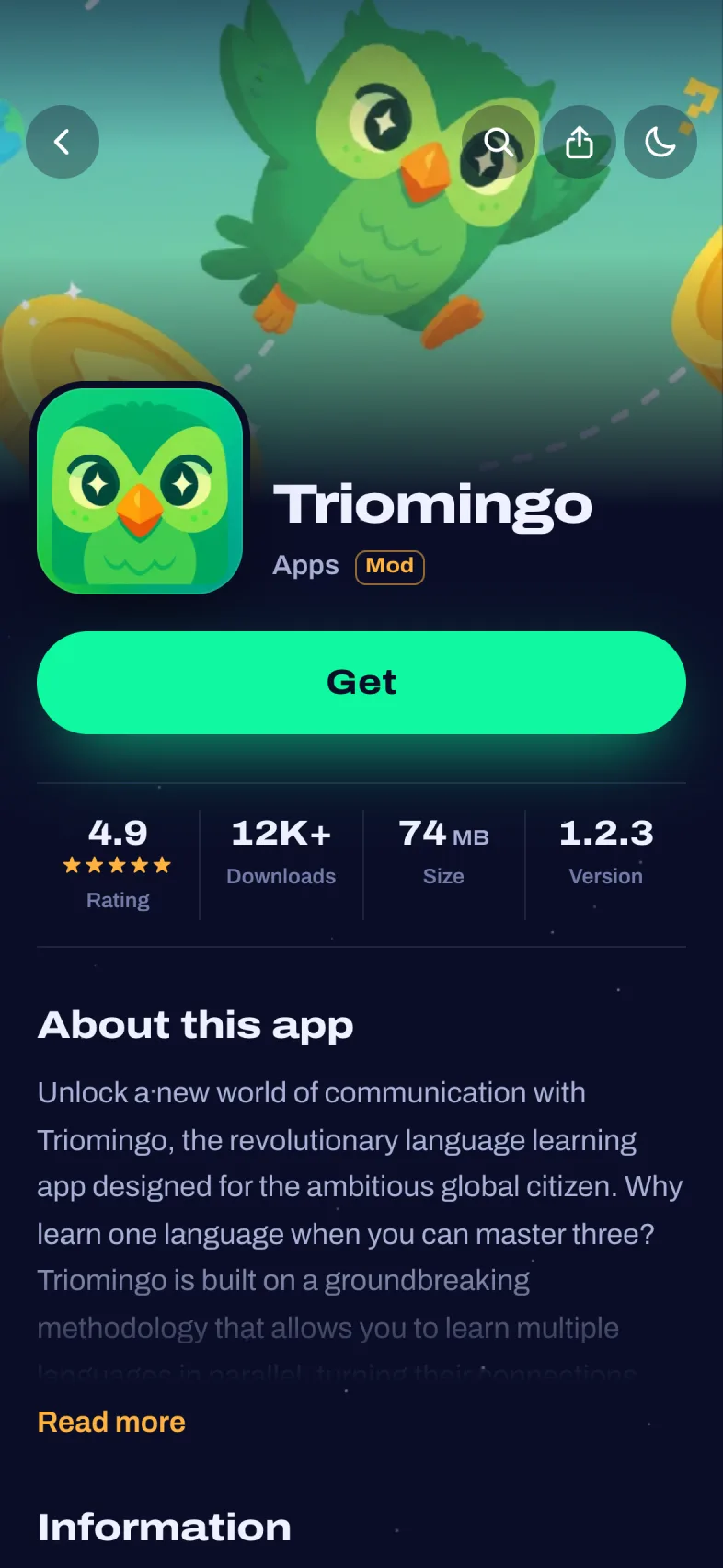
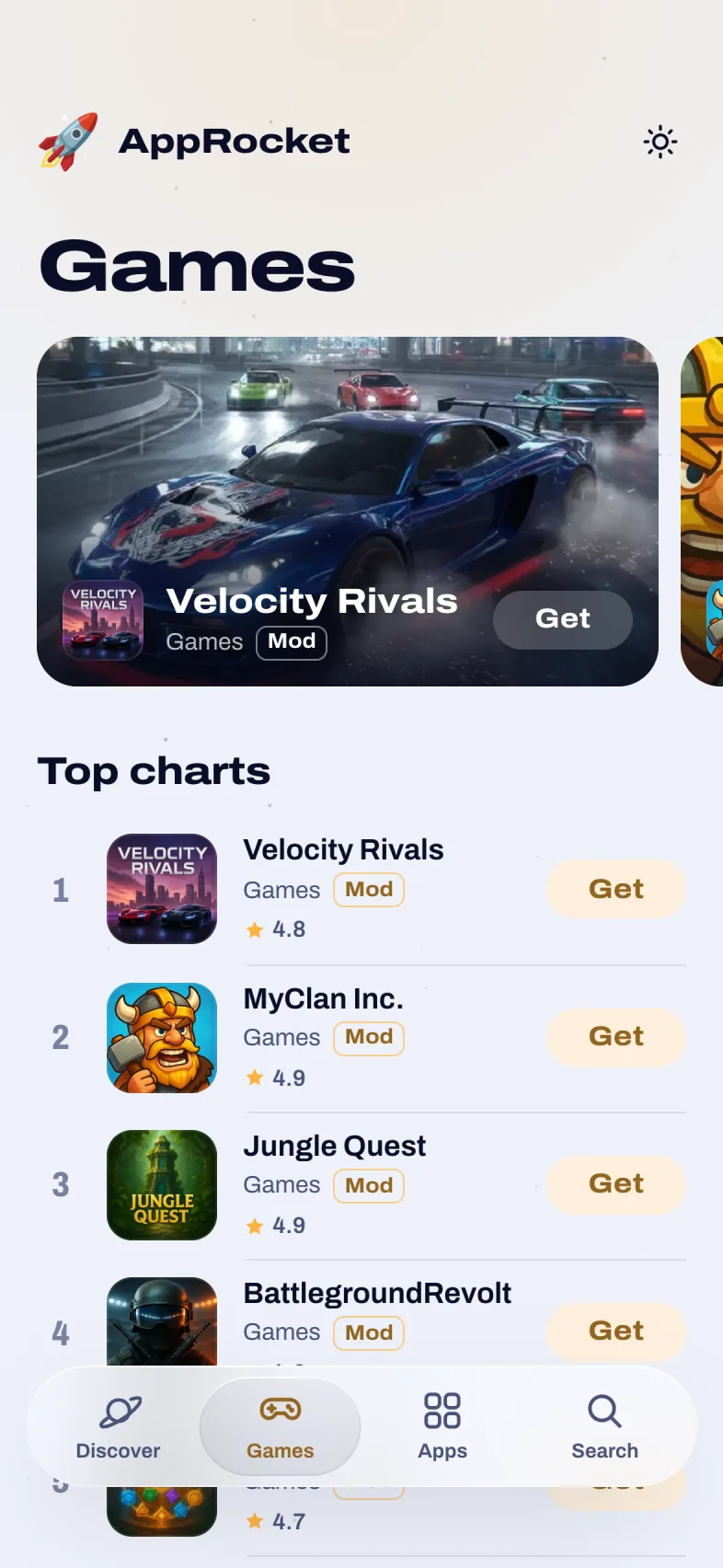
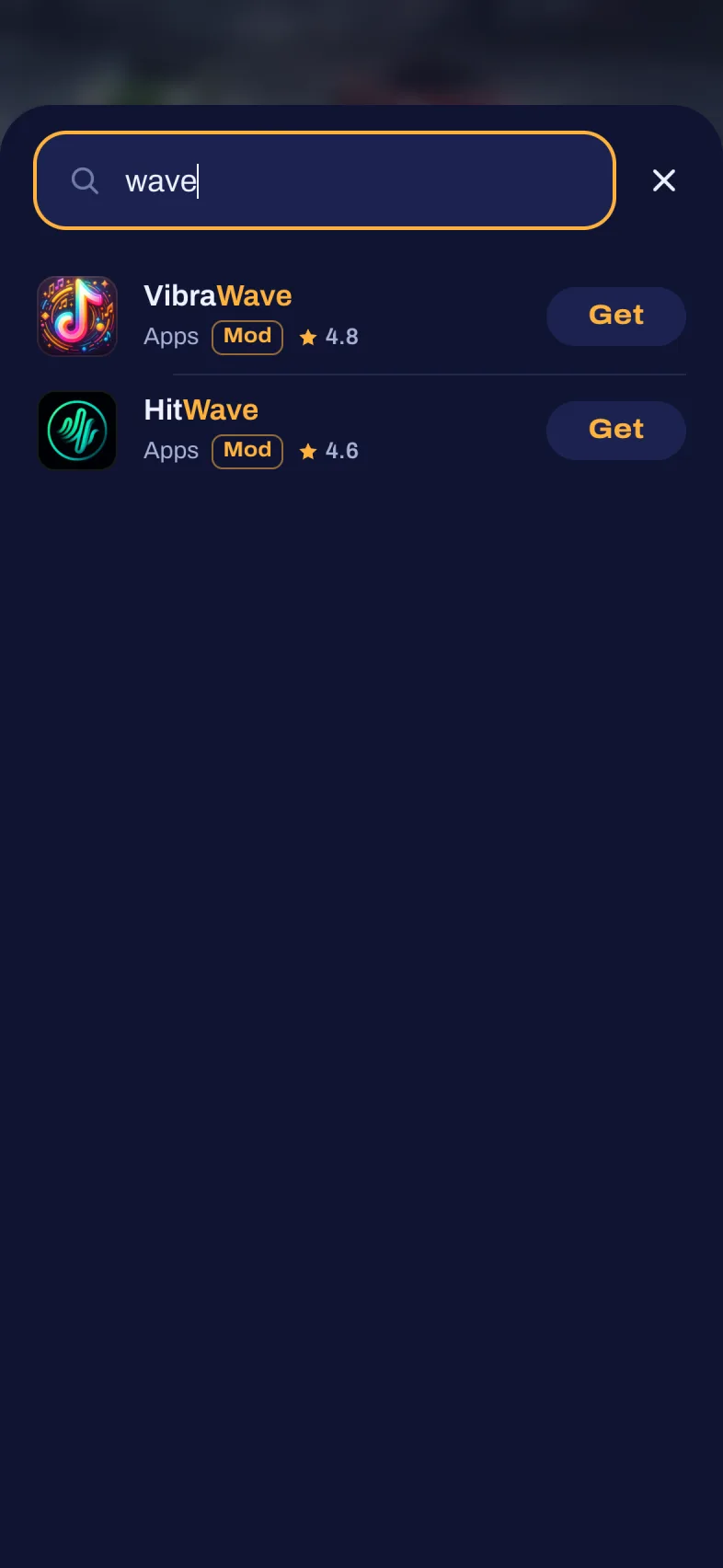
V4 was designed to feel like a native app store. A featured spotlight with full-screen artwork rotates your top apps, trending apps get big ranking numbers, a daily Today’s pick story card opens into a full-screen feature, and instant search finds any app as the visitor types. In supported browsers the app icon even glides from the list into its app page.
Every app brings its own color. V4 reads the main color of each app icon and uses it for buttons, glows and the install sequence, so every app page looks unique without any extra work from you.
Visitors can switch between light and dark mode, and you can choose one of eight accent colors or any custom color. Effects like the launch splash and starfield background can each be turned off, and visitors who prefer reduced motion automatically get a calmer version.
Mobile First with Android & iOS Targeting
Most CPA traffic comes from phones, so V4 was built mobile first, with a floating tab bar, swipeable sections and a sticky Get button on every app page. On tablets and desktops the layout opens up into wide, cinematic pages.
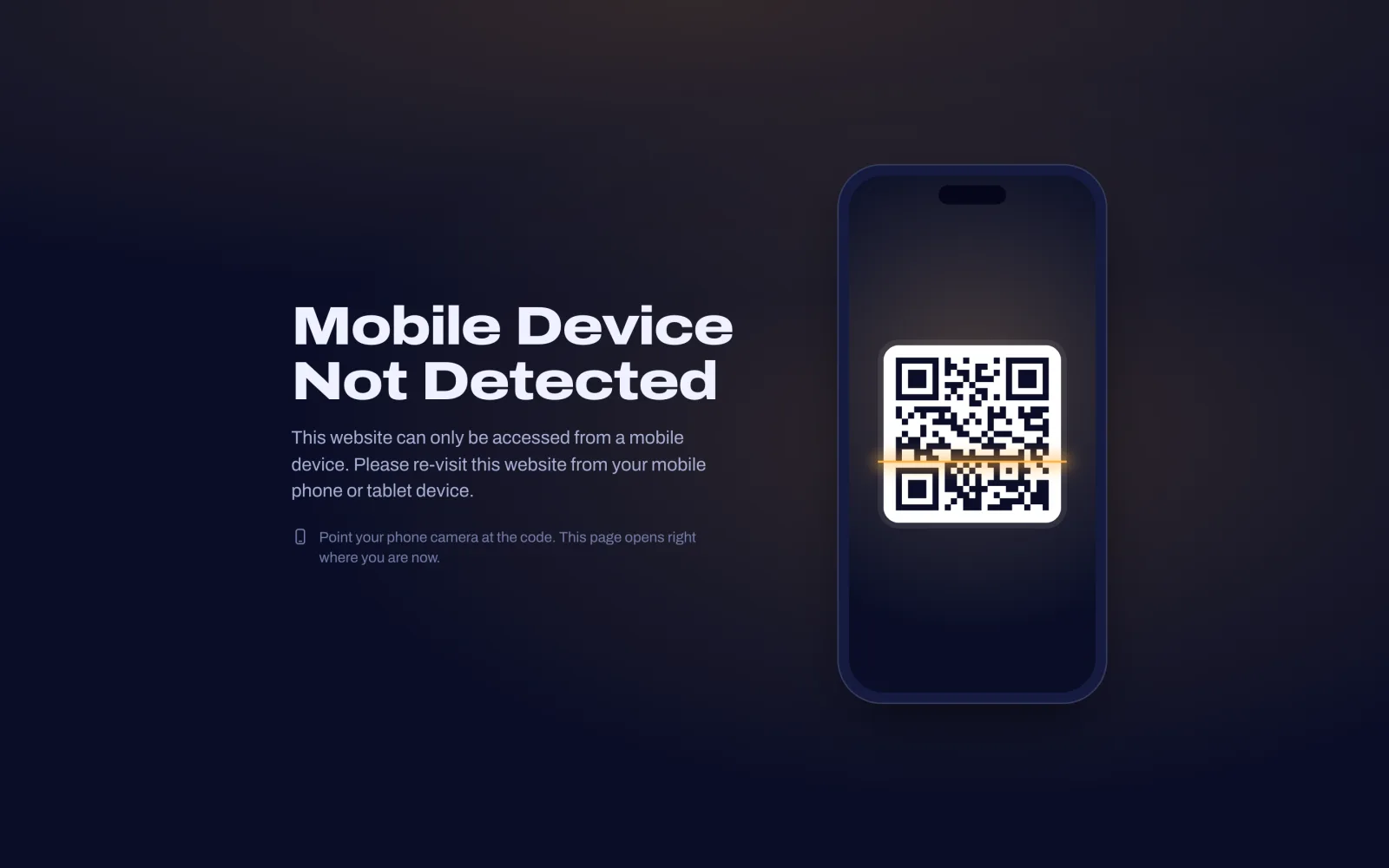
Every app can have separate redirect URLs for Android and iOS, so you can send each device to the offer that converts best for it. If you only want mobile traffic, switch on mobile-only mode: desktop visitors then see a QR code of the page that they can scan to continue on their phone.
Easy to Manage Admin Panel
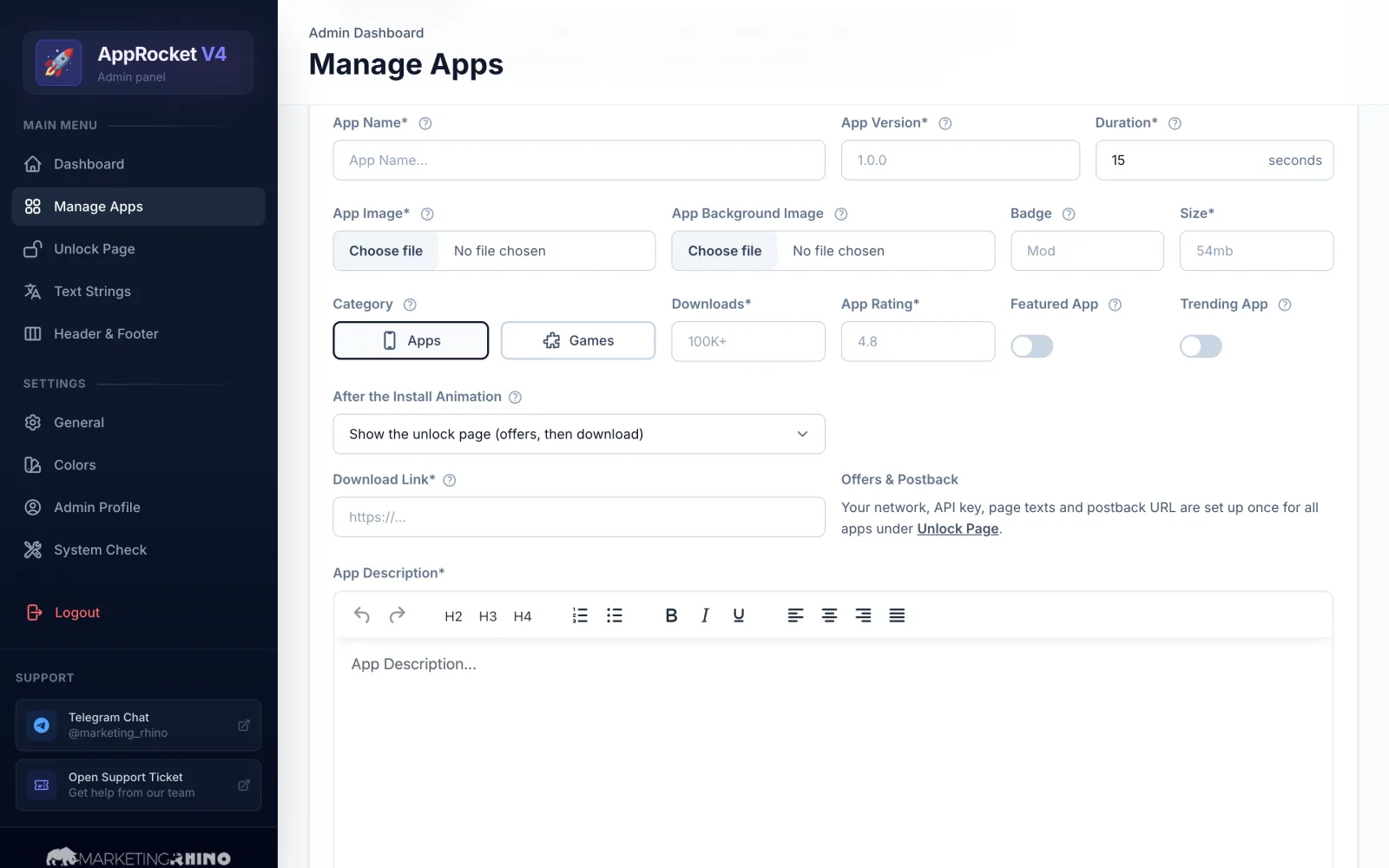
Add apps with icon, artwork, a rich description, rating, size, downloads, badge and install duration. Mark apps as Featured or Trending and change their order with simple drag and drop.
Tab names, section titles, install steps and unlock page messages are all editable in the admin panel, and the few remaining interface words sit together in one file, so you can translate the whole landing page. Logos, meta title and description, your Google Analytics 4 ID and every motion and sound option are managed there too.
Moving over from an AppRocket V3 site? Copy your V3 database into your new V4 installation and your apps and settings are imported automatically, so there is no need to add everything again.
Fast Loading & SEO Ready
The front end runs without heavy frameworks: one stylesheet, one script and a self-hosted font. Pages load quickly even on mobile connections, and switching between the Discover, Games and Apps tabs is instant.
Every app gets its own clean, keyword-friendly URL and a dedicated page with its own title, meta description, canonical tag and social sharing image. The sitemap updates automatically whenever you add or edit an app, old or mixed-case links redirect to the right page, and broken links land on a branded 404 page.
AppRocket V4 works from your domain root or any subfolder, with or without clean URL support on your hosting.
Customer Reviews
No reviews yet. Be the first to review this product!
No reviews yet for this product.
Only verified buyers can write reviews. Log in to your account to leave a review.
You purchased this product. Write a review to get a 10% discount!
You have already reviewed this product.
Only verified buyers can leave a review. Purchase this product to share your experience.